Book the event
Keep the client, package, location, date, time, pricing, and event details organized from the start.
Free 14-day trial. No credit card required.
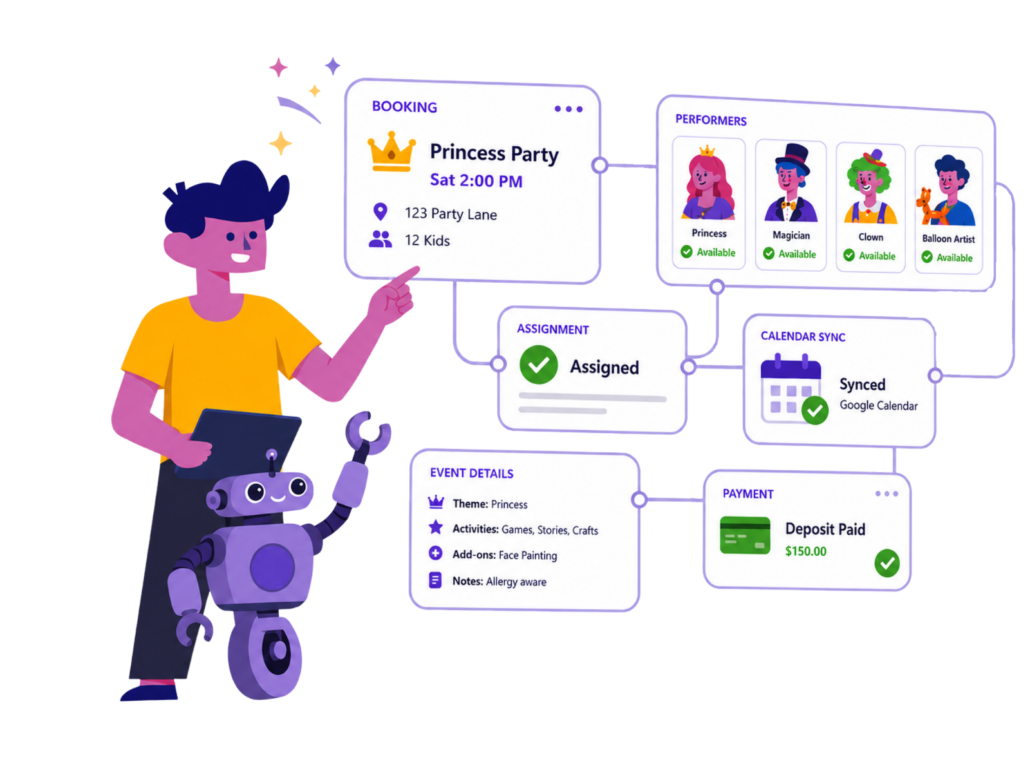
When your party business grows beyond one performer, every booking creates more moving parts. If details are spread across texts, spreadsheets, calendars, inboxes, and memory, mistakes become much easier to make.
Availability confusion
You should not have to dig through messages to figure out who can work an event.
Assignment friction
Scheduling performers should be connected to the actual booking, not handled in a separate spreadsheet.
Double-booking risk
When calendars and bookings are disconnected, it is easier to miss conflicts.
Admin overload
Every manual follow-up takes time away from sales, clients, and growing the business.
Free 14-day trial. No credit card required.
Check who can work before assigning the booking.
Add the right team members to each booking in seconds.
Give performers one place to view gigs and keep track of their status.
Let staff review the event details before responding.
See bookings, staff availability and assigned gigs in one weekly view.
Most scheduling tools stop once a person is assigned to a time slot. Party Pro Manager goes further by connecting your team schedule to the rest of your party business workflow.
Booking
Capture inquiries, organize event details, and manage the booking from first contact to confirmed party.
Planning
Keep packages, notes, timing, equipment, forms, and event details connected to the booking.
Client communication
Send clearer messages and keep client details organized without digging through scattered inboxes.
Billing & payments
Create invoices, collect deposits, track balances, and keep payment details connected to the event.
Staff coordination
Assign performers, manage availability, and keep your team connected to the events they are working.
Generic scheduling tools are usually built for shifts, departments, locations, and employee rosters. Party entertainment businesses work differently.
Generic scheduling tools
Party Pro Manager
Best fit
PPM is especially useful for businesses coordinating more than one performer, staff member, subcontractor, or entertainer.
832,242+
Staff gigs scheduled through PPM
“PPM is exactly what our business needed to get organised and grow. It is amazing what this has done for our business cutting our admin cost by 3. Our staff find the portal very useful.”
Marielle, Princesses & Fairytales
“We have 80 cast members and 20-30 events per week. Party Pro Manager is the ONLY way we could keep up with everything. It is a very robust system.”
Stephanie, Mystical Parties
“My favorite part is the easy staff communication. It’s a feature that no other booking system has been able to provide me so far. It’s great!”
Ashley, Crystal Castle
Is Party Pro Manager only for staff scheduling?
No. Staff scheduling is one important part of PPM, but the platform also helps with bookings, planning, client communication, invoices, payments, and event management.
Can staff manage their own availability?
Yes. Staff can enter availability so you can make better scheduling decisions before assigning gigs.
Can staff accept or decline gigs?
Yes. PPM supports staff workflows that allow team members to accept or decline assigned gigs.
Do I need a credit card to start?
No. You can start a free 14-day trial without a credit card. No catch.
You’ll get full access to Party Pro Manager so you can see how it’ll save hours of admin time every week 🙂
Plus, you can continue to use Party Pro Manager risk free for an additional 90 days, backed by our Outrageous Guarantee.
Free 14-day trial
No credit card required. Built specifically for party entertainment companies.